Social events
Who this is for: everyone (team admins create social events; everyone RSVPs) Applies to: Android · iOS · Web
What this page covers
Social events are the team's non-riding gatherings — team dinners, meetings, end-of-season parties — with an RSVP list so you know who's coming. This page explains how to create one and how to RSVP, including parents RSVPing for their children.
Before you start
- You must be a signed-in member of the team.
- Creating a social event is a team admin action; RSVPing is open to all members.
Creating a social event (team admin)
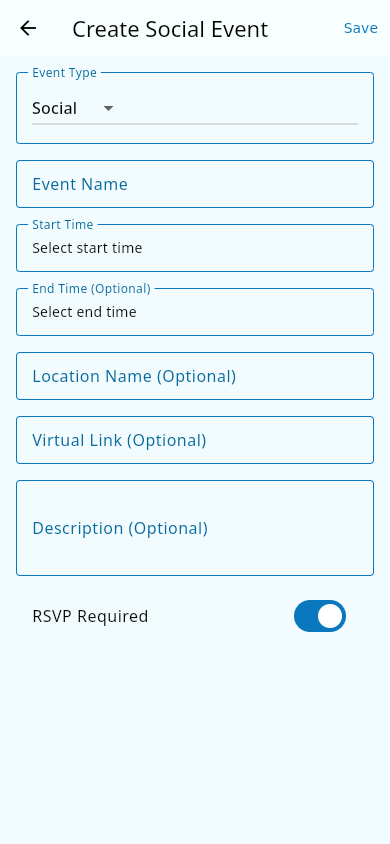 The Create Social Event form with the RSVP Required toggle.
- From the Events Hub, choose to create a new event.
- Set the type to a social gathering or a meeting (a social event is anything that isn't a ride).
- Give it a name, and set the start and end time and the location (or a virtual link for online meetings).
- Decide whether an RSVP is required and save.
The event appears in the Events Hub alongside practices and races, and is included in your team's calendar subscription if you use one.
RSVPing to a social event
- Open the social event.
- Find the RSVP control and choose your response: Going, Not going, or Maybe.
- Some events let you add how many guests you're bringing or a note — fill those in if shown.
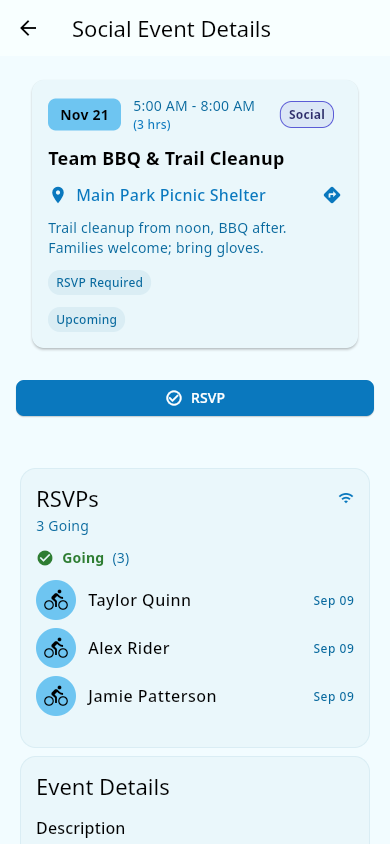 A social event's detail page: the RSVP button and the guest list.
What you should see: your response is saved and the event's RSVP list updates live for everyone viewing the event. If you change your mind later, come back and pick a different option.
Parents: RSVP for your children
- Open the social event.
- In the RSVP control, select the child you're answering for.
- Choose Going, Not going, or Maybe for that child, and repeat for each of your children who's invited.
What you should see: each child you answered for appears separately on the event's RSVP list with their own response, and the RSVP count reflects all of them. A parent's own response and each child's response are tracked separately.
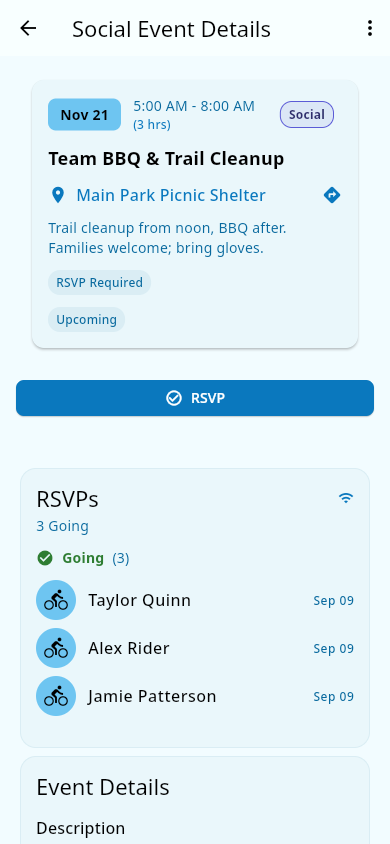 The event's RSVP list — each person's response is listed separately.
Notes and limits
- RSVP status for practices and races works the same way on the event page (see Events and practices).
- If volunteers are signed up for a social event, moving or cancelling the event moves or cancels those shifts too — see Volunteering.
- The app doesn't send a notification when someone responds to an RSVP — the updated list is there for everyone viewing the event. Team announcements are the way to remind people about an upcoming social event.
Related pages
- Events and practices — the shared Events Hub these events live in.
- Announcements — how the team broadcasts reminders about upcoming events.
- Volunteering — volunteer shifts can be attached to social events too.