Connect your payment account
Who this is for: team admin Applies to: all
What this page covers
How your team starts receiving the money families pay. The app does not hold the money itself — each team connects its own payout account through a secure external sign-up page run by the payment provider. After reading you'll be able to start that connection, finish it safely, and check its status.
Before you start
- You must be a team admin on the team (an owner has exactly the same powers).
- Have the person who can legally sign for the team's bank account ready (business and tax details are usually needed).
- You will briefly leave the app: the sign-up happens on the payment provider's own secure website, not inside Groupset.
Step-by-step
- Open the menu and tap Connect Payment Account (it is also shown in the team's payment area as the connect screen).
- Tap the button to connect and start onboarding. The app opens a secure, external page owned by the payment provider.
- On that page, complete the steps the provider asks for — identity, business, and bank details for payouts.
- When you finish, the provider returns you to the app automatically. If you do not come back, just reopen the app; it checks the connection again on its own.
- Check the status shown for the connection. If you have just finished a step and the status looks old, tap Refresh Status.
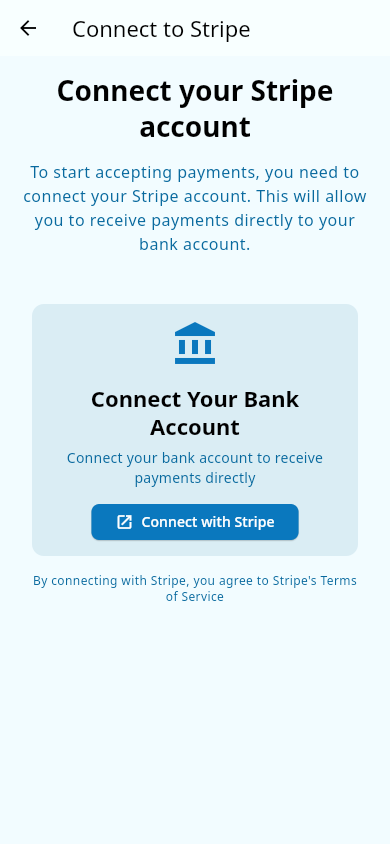 The payment-account screen before connecting — the starting point for onboarding.
What you should see
- The connection screen shows connected once the account is set up and verified, with the message that the account is connected and ready to accept payments.
- The status card lists Account Status, whether Charges Enabled and Payouts Enabled are turned on, and any requirements still outstanding (for example, information still due or verification still in progress). When nothing is missing, it says All requirements met.
- Both charges and payouts must be enabled for the account to be fully ready — a brand-new connection may be able to take payments before payouts are enabled.
- When the connection is complete, payments families make for team fees can actually be charged and delivered to the team's account.
Notes and limits
- This must be done before fees can be charged — setting a fee without a connected payment account does not collect money, and registering families are not asked to pay until the account is connected. See Team fees.
- Each payment through the app includes a per-athlete platform fee (contact support if your team needs different terms) plus the payment provider's own processing charge; the rest goes to the team.
- Payouts go to the team's own payout account set up during onboarding. There is no withdrawal or bank-details screen inside Groupset — you manage those through the payment provider.
- Only team admins can start or manage the connection.
Related pages
- Team fees — the fees that can only be charged once the account is connected.
- Promo codes — discounts that also apply through the same payment flow.
- Payments — what paying families experience.