Sharing and invitations
Who this is for: a follower who wants to invite someone else to follow a race Applies to: Android · iOS · Web
What this page covers
How to invite someone to follow a race you're following, what the invitation link opens for them, and what happens when they accept. An invitation is a personal link that names a rider and the race.
Before you start
- You need a Follow account — see Follow accounts. An invitation always names a rider and a race, so you send one either for a rider you pinned or for any rider in a race's list.
- To invite from your pinned riders you need at least one pin — see Following races and riders.
Sending an invitation
- Pick an entry point:
- Home: tap Invite someone to follow under the race's rider cards, then pick one of your pinned riders.
- Races: tap the invite icon at the top of the tab (labelled Invite someone to follow), then pick one of your pinned riders. With no pins yet the app says "Pin a rider first" and offers Browse races.
- A race: open a race and tap the share icon on any rider's row (labelled "Invite someone to follow
" ) — this path works for any rider in the published field, pinned or not. - The Share invite sheet opens. Use your device's share sheet, or pick Email, Text Message, or Copy message if your device has no share sheet.
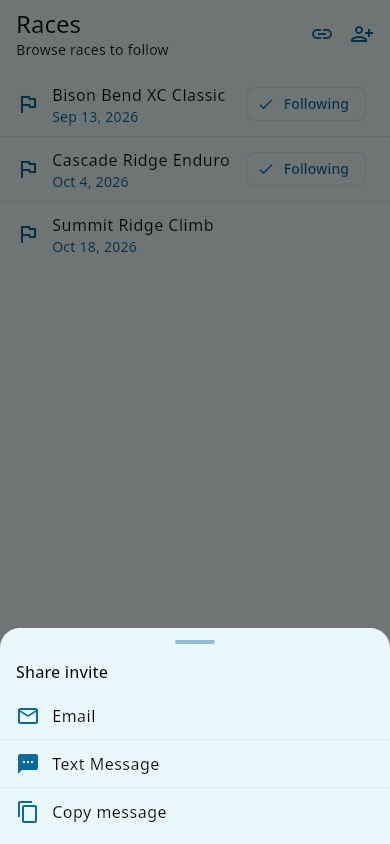
What you should see: the message is pre-written for you, naming the rider and the race, with the invitation link and a note that Follow shows only published races and that results can be provisional. Share it however you like — for example:
Follow Maya at State Championship.
https://groupset.app/… (your personal invitation link)
Follow shows only races the organizer has published here, not every race. Results can be provisional and may be corrected.
What the link opens
The link works whether or not the person has the app:
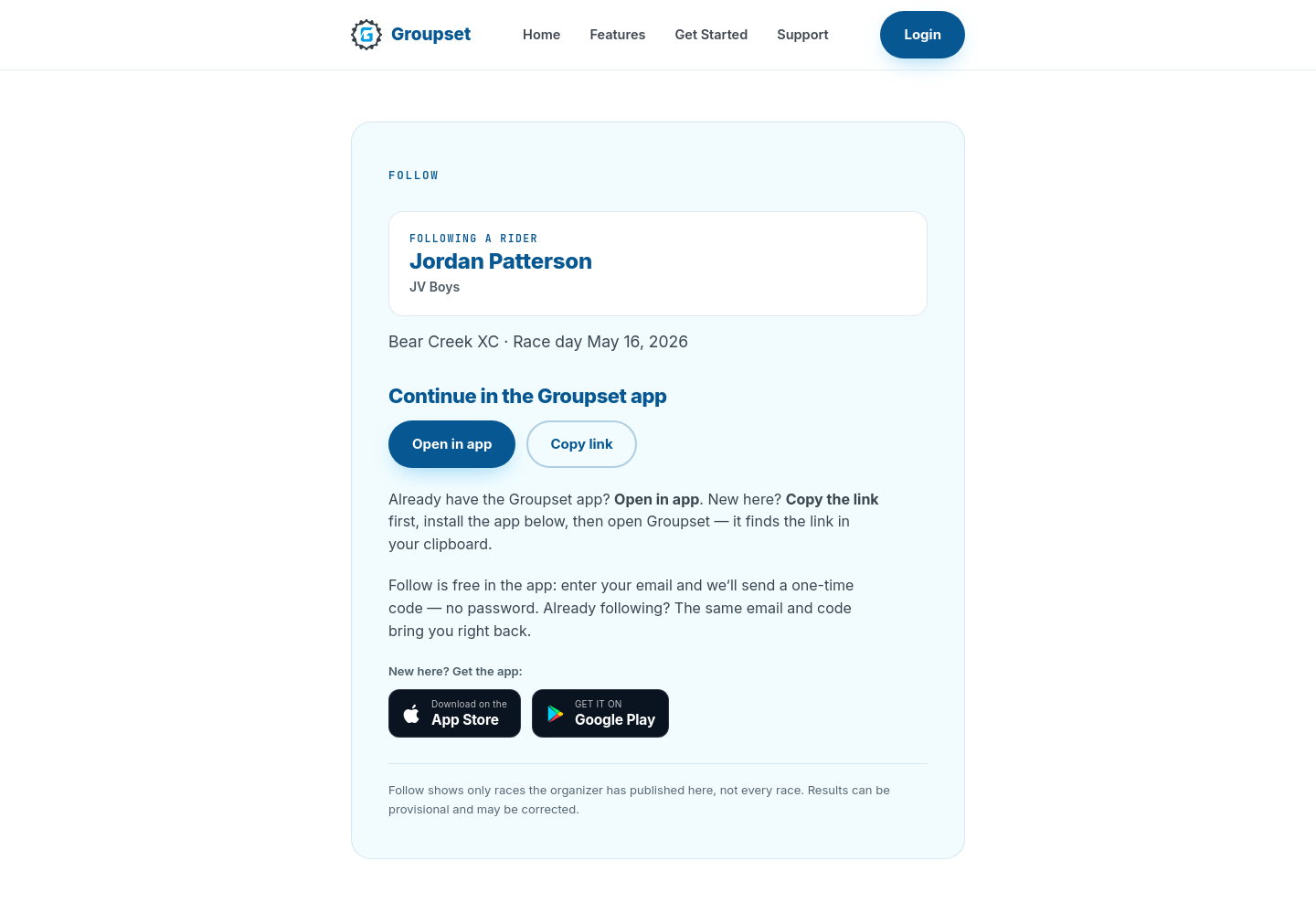
- In a browser: a simple read-only page showing the race name and date and the rider's name and category, with Open in app and Copy link, and links to the App Store and Google Play underneath. It shows no live results and has no follow controls, so nobody sees anything about the race beyond the rider you named.
- In the app: the invitation opens the race and applies the follow and the pin.
A browser page cannot open the app by itself: Open in app is a button your friend has to tap, and it only works on a phone that already has Groupset installed. If they tap it and nothing happens, they are on a phone without the app — install it from the store link on that same page and tap Open in app again. Nothing is used up by opening the page in a browser, so the same link still works.
If the person is signed out, the app shows "You've been invited to follow a race" with a Continue button — that is the only action on the screen, and there is no Skip. Continue takes them to the one Follow sign-in door (email and a one-time code). A brand-new follower then completes the short finish step — first and last name, a "13 or older" confirmation, and an optional tick for race-weekend recap emails — and the invitation is applied. The invitation is held while they sign in, so taking a minute to enter the code does not cost them the link. See Follow accounts.
If the link arrives in a message and the app does not open from it, the person can paste it into the app instead: on the Races tab tap the link icon (or, before they follow anything, Got a follow link? Paste it on Home), paste the whole message, and tap Open link. The app cannot read the clipboard on its own — the paste is always something they do.
If the email they use already belongs to a team account, the app explains that Follow accounts are separate and asks them to use a different email (or sign in to their team account instead). See Follow accounts.
What accepting does
When someone accepts your invitation, the app:
- Follows the race for them,
- Pins the rider you named, so they get that rider's updates, and
- Opens that race on their screen, with the rider already under Your riders.
If they already have 5 pinned riders, the race is still followed but the rider can't be pinned — the app tells them: "You're now following this race. You already have 5 pinned riders, so unpin one to add this rider."
Expiry and single use
- An invitation link is valid for 72 hours (three days) from when you create it — three days, not a week.
- Each link works once — after someone accepts it, it can't be used again.
- Sharing the same rider's invitation again creates a fresh link. Any link you sent earlier keeps working until someone accepts it or the 72 hours run out — a link is spent only when it is accepted.
When a link doesn't work
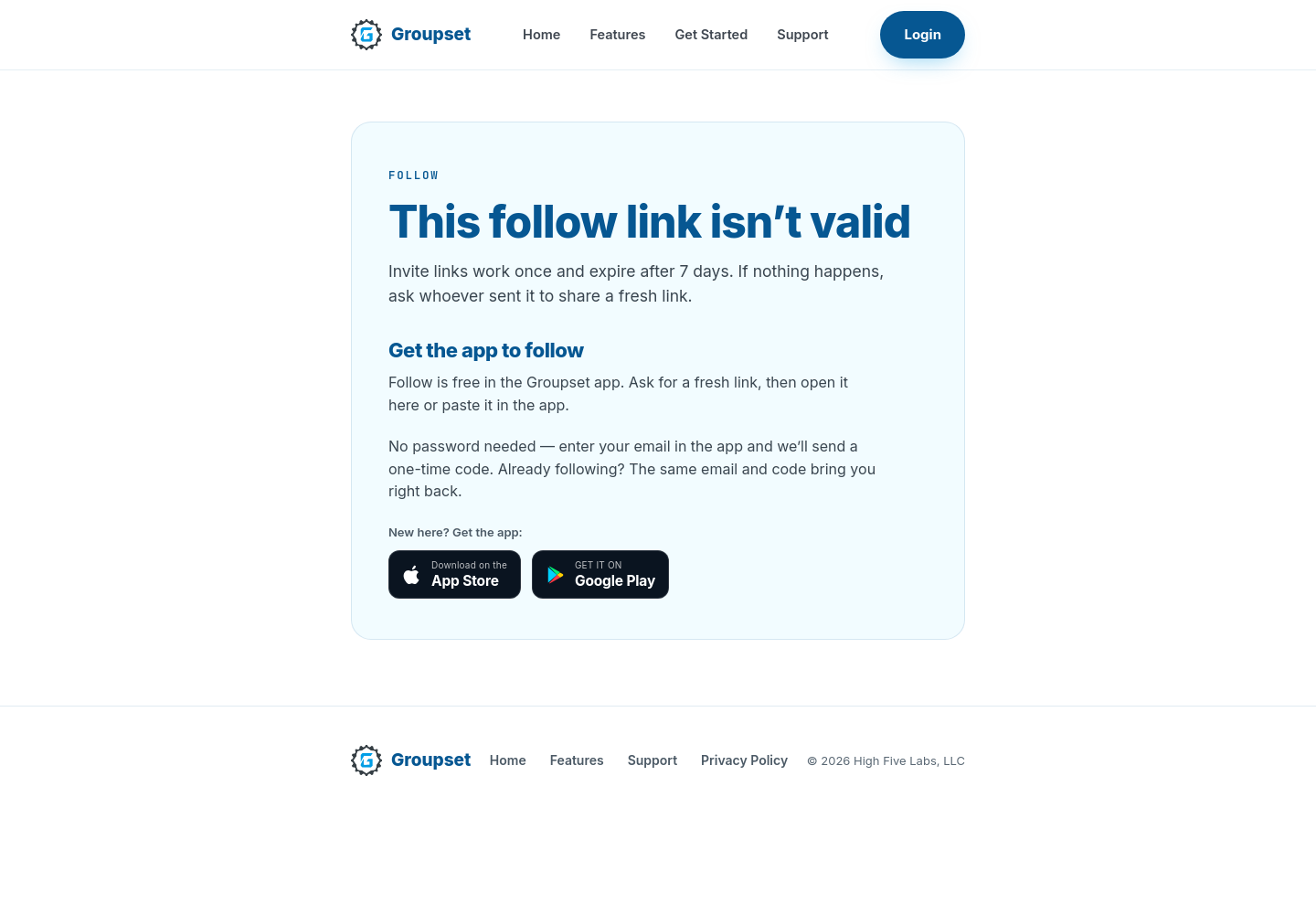
If an invitation link says "This follow link isn't valid" — "The link may have expired or already been used. Ask the person who sent it to send a new one." — it has most likely expired (older than 72 hours) or already been used. Ask the person who sent it to send a fresh one.
If it says "This race isn't available right now", the race is not open for following at the moment — try again later or ask the person who sent the link.
For other problems — the link opens the wrong thing, or you can't get into the app — see Troubleshooting: follow and invitations.
Notes and limits
- Following is switched on in the published app: the Follow a race row on the welcome screen and the "Following a race? Follow a rider" link under Sign In are both showing, so an invitation link and the doors work side by side.
- The invitation always follows the race; pinning the named rider depends on the 5-rider limit.
- An invitation is not the same thing as a result image. An invitation names a rider and a race so someone else can follow; a result image is a pinned rider's own result card — see Race day and results. Where a device has no share sheet, both fall back to the same in-app options (Email, Text Message, Copy message).
- Follow covers only the races the organizer has published in the app, not every race weekend, and race timings can be provisional.
Related pages
- Follow accounts — creating an account from an invitation.
- Following races and riders — follow a race and pin riders.
- Race day and results — what the invited person will see, and the result image that is not an invitation.
- Core concepts — what an invitation does to a race and a pin.
- Troubleshooting: follow and invitations — when a link or sign-up won't work.